Memory / Practical AI Safety
Choose what your
assistant remembers.
Useful context needs a source, a purpose, and a way to change it.
Before adding memory, choose what the assistant needs for the task. Use made-up data while you test. Keep passwords, access keys, and private records out of practice files. For work data, use an approved tool and follow the data owner's rules.
Are memory, chat history, and model training the same?
No. Memory can shape future replies. Chat history keeps conversations available. Training controls govern whether content can be used to improve models. Changing one setting does not necessarily change the others.
In ChatGPT, turning off model training leaves regular chats in history. Check the current ChatGPT data controls for the controls available to your account.
Does deleting a chat delete its memory?
Not always. A saved memory can be stored separately. Review the memory controls and the original sources where the information appears. Controls vary by plan, region, and workspace. Turning memory off does not itself delete past chats. See Memory in ChatGPT.
Does Temporary Chat mean nothing is stored?
No. Temporary Chat is not a promise of zero retention. OpenAI describes separate rules for history, training, safety review, and connected services. Read the current Temporary Chat before sharing data. A privacy setting does not grant permission to upload someone else's information.
Fictional practice case
A preference became a rule.
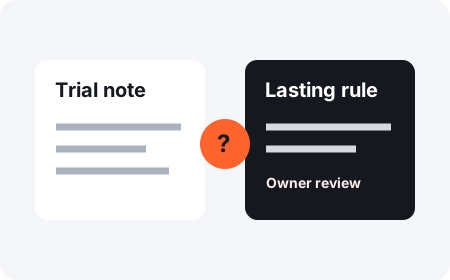
Working note: Try short summaries for the next practice task.
Saved rule: Always omit supporting detail.
The saved rule changes both scope and meaning. Keep it as a trial preference, tied to its source, until the owner chooses to keep it.
See a more careful memory record
Preference under review: Try a short summary for this practice task. Keep supporting detail available. Ask the owner before using this as a lasting preference.
What belongs in an assistant's memory?
Keep only context that has a clear use. Record where it came from, whether it is a fact or preference, who approved it, and what should trigger a review. A note that looked right once can become stale.
Use the memory-review worksheet to inspect one proposed memory. It is a planning aid; it does not change your provider's settings.